














I Built GitLore So You Never Have to Play Codebase Archaeologist Again
Getting dropped into an unfamiliar codebase is rough. The README usually has exactly two lines. You are looking at 400 files, the original developer is long gone, and your sprint starts on Monday.
You basically have two options. You can annoy the senior engineers with endless questions, or you can spend three days clicking through nested folders trying to map out how everything connects.
I got tired of the second option. That first week in a new repo burns a lot of time and mental energy. I wanted a way to look at a raw repository and understand its structure right away, without doing the archaeology.
So I built GitLore.
What Is GitLore?
GitLore works like a teammate who has already read the whole repository for you. You drop in a GitHub URL or a ZIP file. Within about 60 seconds, GitLore clones it, walks through the files, and maps out how the code fits together. There is no local setup and no CLI to learn.
The goal is simple. By the time you finish your coffee, you should know what the project does, where the important logic lives, and how to ask questions about it.
How It Actually Reads Your Code
This is the part most people gloss over, so let me explain it in plain terms.
A simple tool would just read your files as text and guess. That falls apart fast, because code is not just text. It has structure. Functions call other functions. Files export things that other files import.
GitLore builds an Abstract Syntax Tree for each file. You can think of an AST as a grammar diagram for code. Instead of seeing a wall of characters, the tool sees "this is a function," "this is what it returns," "this is the thing it calls next." Once you have that, you can answer real questions about how the project is wired together.
On top of that, GitLore maps the call graph and the exports. The call graph is just a map of who calls whom. The exports tell you which pieces of a file are meant to be used by the rest of the app. Put those two together and you get the actual shape of the project, not just a folder tree.
The Three Ways You Use It
I did not want to ship just another chatbot. I wanted tools that fit real engineering workflows.
1. The Cockpit Dashboard
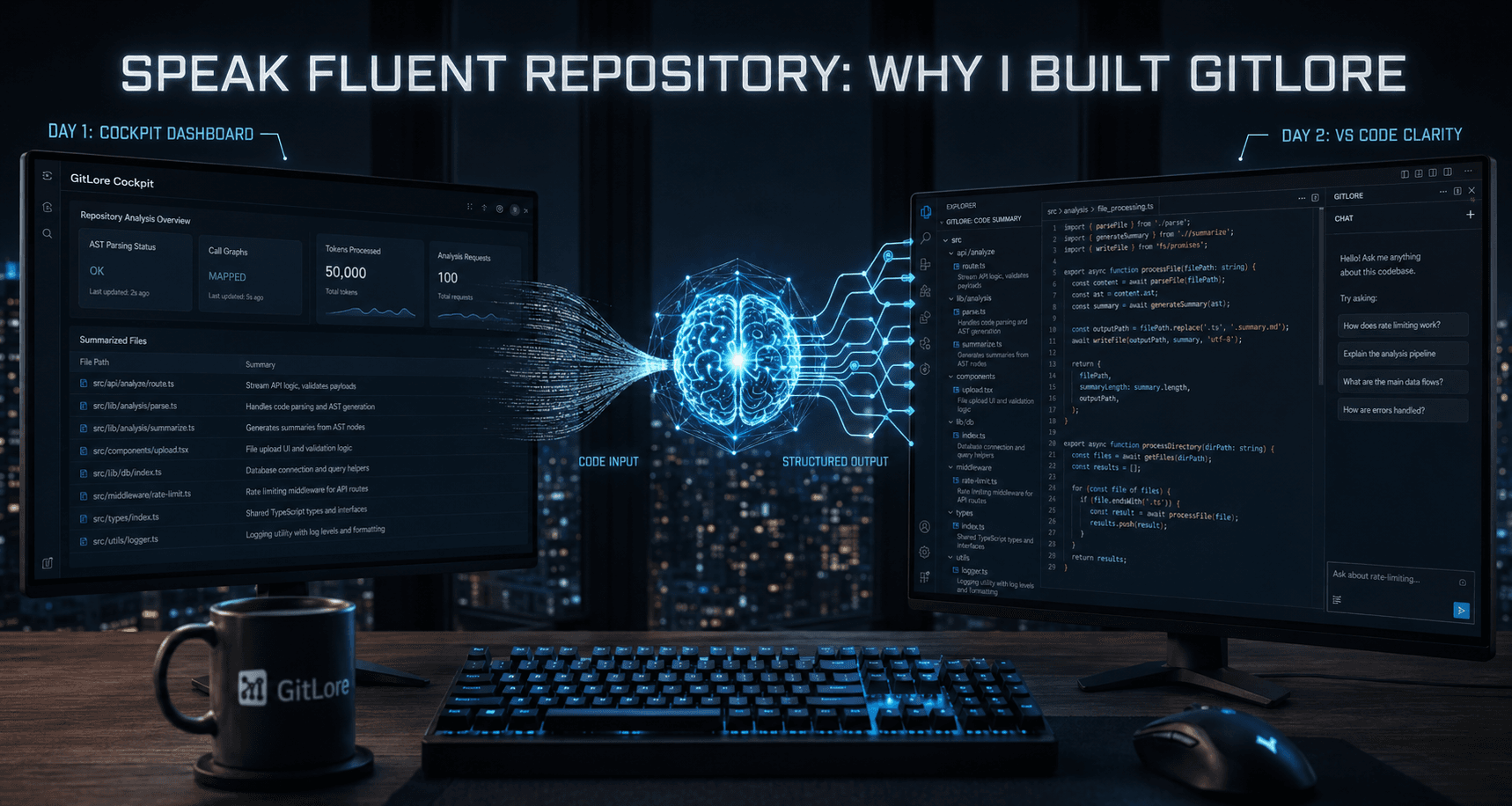
This gives you the bird's-eye view. Instead of opening files blindly, the dashboard shows every file next to a short summary of what it actually does. You know that src/api/analyze/route.ts handles the analysis request before you ever click it. You navigate by logic, not by guessing from file names.
2. OmniChat
Sometimes you just want a direct answer. GitLore lets you ask questions about the architecture in plain English. For example:
- "Where is rate limiting enforced?"
- "Which files handle the database connections?"
Behind the scenes, this uses an idea called retrieval. The codebase gets turned into embeddings, which is a way of storing code so that the system can find the pieces most related to your question. When you ask something, GitLore pulls the exact files and functions that matter and answers from those. It is not guessing from a vague memory of the repo. It is looking at the real code before it responds.
3. The VS Code Extension
The dashboard is great for onboarding, but the real work happens in the editor. So I brought the context directly into your workspace.
You get inline summaries right in the Explorer sidebar. You can open any file and ask questions about that specific code. There is also a PR Review Mode that helps you understand the logic behind a change, instead of staring at a raw diff and trying to reverse engineer the intent.
The Stack Under the Hood
I kept the stack modern so the whole thing stays fast and easy to scale.
- Framework and UI: Next.js and TypeScript, with Tailwind CSS for a sharp, dark-mode-ready design.
- The engine: Google Gemini 2.5 Flash. The large context window and quick token generation let GitLore stream analysis back to you as it works, so you are not stuck watching a spinner.
- Architecture: Everything runs server-side. The analysis happens, the answer streams back, and that is it.
Private by Default
This part mattered to me, so it is not an afterthought.
GitLore does not store your tokens, and it does not keep your repository after your session ends. Nothing lingers. You analyze a repo, you get your answers, and when you close the session the data is gone. Private by default, not private if you remember to flip a setting.
Try It Out
If you are joining a new team, contributing to an open source project, or just trying to figure out how someone else built something, you do not have to read the code file by file anymore.
Drop any public repo into gitlore.app right now for free. You get 50,000 tokens and 100 analysis requests per day, which is plenty for a mid-sized project.
Drop a URL, give it a minute, and start actually understanding the codebase.
EndFragment